






The Spinsy app is a mobile shortcut to the casino that opens from an icon on your home screen. It works on iPhone and Android for players in Australia, but Spinsy does not publish a native iOS or Android application.
The shortcut opens the mobile-optimised website in a full-screen window, so the account, balance, games, cashier and live chat remain available without a store download. The steps below cover Android and iPhone installation, the difference from a browser tab, security, and the checks to complete before adding the icon.
Mobile play essentials
-
One-tap access
Open the mobile casino from a home-screen icon instead of typing the address each time. The shortcut works on a personal Android phone or iPhone.
-
Quick launch
The shortcut removes repeated browser navigation and opens the live mobile site directly. Loading speed still depends on the internet connection.
-
No unknown file
Safari and Chrome save an icon rather than an APK or executable installer. This keeps third-party files away from the device.
-
AU-ready access
Australian players can use the same mobile website, account and currency options through a browser shortcut without a separate native application.
What Is the Spinsy App and How Does It Work?
A player who wants quick access on a daily commute does not need to type the casino address each time. The Spinsy app saves an icon on the home screen and opens the site without the usual browser toolbar. Menus respond to touch, while the same account and balance remain available on other devices.
The Spinsy casino app is a web-based experience rather than a native program. It has no Google Play or App Store listing, and the phone does not store a large installer or game library. Each launch loads the current mobile site from Spinsy's servers, which removes manual updates and keeps storage use low.
- Platforms: iPhone through Safari and Android through a browser such as Chrome.
- Format: mobile-optimised website opened from a home-screen icon.
- Download file: none; the phone stores a shortcut and its icon.
- Account: the same login, balance and history used on desktop.
- Currencies: AUD and CAD.
- Support: live chat and email [email protected] are available through the site.
The shortcut behaves like an app while the games remain online. It does not offer a demo mode or offline account access, because the lobby, game sessions and cashier require an active connection.
How Do You Download the Spinsy App on Android?
When Google Play returns no useful Spinsy listing, do not search for an APK. The correct Spinsy app download on Android starts in Chrome and creates a home-screen shortcut from the live mobile site.
Open Chrome, enter the Spinsy website, and wait for the mobile page to finish loading. Tap the three-dot menu in the top-right corner, choose Add to Home screen or Install app when offered, keep the suggested name, and tap Add. The icon then appears on the home screen or in the app drawer, depending on the Android device.
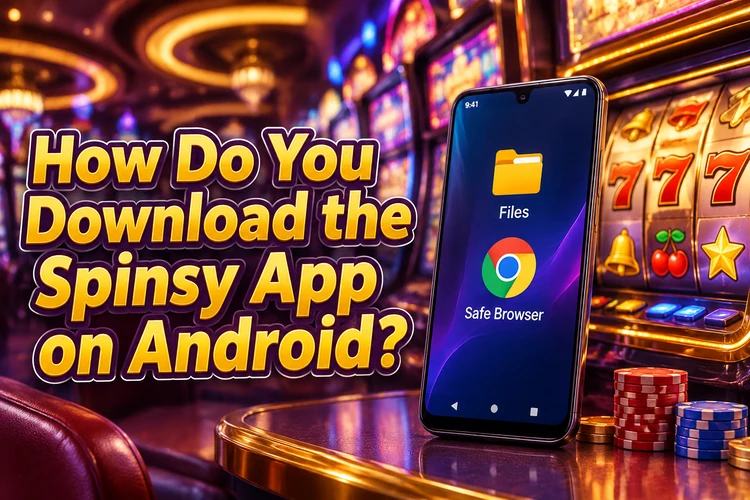
Keep Install unknown apps switched off. The Spinsy casino app download free route is the browser shortcut, not an APK supplied by an unrelated website. A file from a third-party page can contain code that records passwords or payment details, while a similarly named store app does not connect to the Spinsy account.
There is no reason to enable a special installation permission. If Chrome does not show Add to Home screen, open the page in a standard browser tab rather than a social-media in-app browser, then repeat the menu step. The Spinsy application will open the live site and does not need a separate update.
The verdict is direct: use Chrome, add the shortcut, and skip every APK. This method gives Android players the current website without exposing the phone to an unknown installer.
How Do You Install the Spinsy App on iOS in Australia?
An iPhone user may open the App Store and find no useful Spinsy listing. The Spinsy casino app on iOS is therefore a Safari shortcut, which avoids an unapproved profile or certificate and gives AU players one-tap access from the home screen.
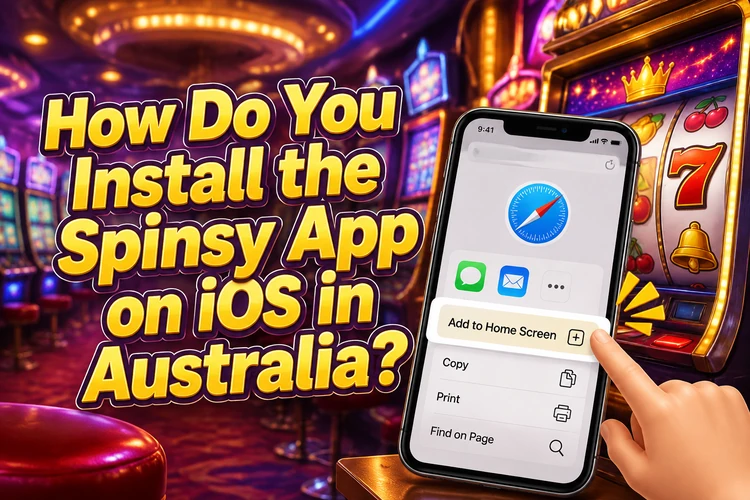
Open Safari and visit the Spinsy website. Tap Share, shown as a square with an upward arrow, scroll through the menu, select Add to Home Screen, keep or edit the name, and tap Add. Open the new icon to launch the site in a full-screen window.
The Spinsy casino download in this format uses very little storage because the phone saves an icon rather than game files. Games load from the server, so the phone needs Wi-Fi or mobile data whenever you open the lobby, start a game, use the cashier or contact support.
Do not accept a profile, certificate or configuration file offered by an unfamiliar page. A Spinsy casino app download should finish through Safari's Add to Home Screen command. If that command is missing, scroll further through the Share menu and make sure the page is open in Safari rather than another app's built-in browser.
The iOS verdict is simple: use Safari and add the shortcut. The result gives Australian iPhone players access to the full website, including the cashier and live chat, without a native store application.
What Can You Do Inside the Spinsy Mobile Application?
After launch, the Spinsy application opens the same online lobby used on desktop. It provides slots, live dealer tables, table games, game shows, crash games, instant-win games and the sportsbook. Providers include Pragmatic Play, Play'n GO, NetEnt, Nolimit City, Evolution and Microgaming, with titles such as Big Bass Bonanza, Wolf Gold, Book of Dead and Mustang Gold.
The account menu opens the cashier inside the mobile window. Deposits support Visa, Mastercard, Neosurf, MiFinity, Apple Pay, e-wallets and Bitcoin or Ethereum. Withdrawals support Visa, Mastercard, Skrill, Neteller, bank transfer, cryptocurrency and PayID, so the main account tasks do not require a desktop computer.
The Spinsy app login uses the existing account, with no second registration for the shortcut. Live chat remains available from the same mobile session, which helps when a payment or account question needs a direct answer.
Offer information is available through the Spinsy casino bonus page, while the application itself keeps the lobby and account tools together. The comparison below separates the shortcut's practical benefits from the browser's equivalent access.
| Feature | Mobile App | Browser Version |
|---|---|---|
| Loading speed | Uses the same servers; no address to type | Uses the same servers; address or bookmark required |
| Push notifications | No native app notification system | No native app notification system |
| Storage use | Home-screen icon and browser cache | Browser cache only |
| Update process | Automatic when the live site loads | Automatic when the live site loads |
| Offline access to account | Unavailable; an internet connection is required | Unavailable; an internet connection is required |
The comparison shows that the shortcut changes access, not the available account features. Both formats need an internet connection and both load the current website without manual updates.
Free spi
Mobile offer access
Open available casino promotions from the mobile lobby and read each offer's rules before joining. Free spins can form part of welcome or reload campaigns on selected slots.
Is the Spinsy App Better Than the Mobile Browser Version?
A weak mobile signal affects the shortcut and a browser tab in the same way because both connect to the same servers. The shortcut does save typing and removes the browser toolbar, leaving more of a small screen for the lobby and game controls.
On a small display, full-screen mode removes toolbar clutter and puts the lobby, cashier and live chat within one tap. Data use is broadly the same in both formats because slots and live dealer video stream from the server. Wi-Fi is preferable for live tables, while mobile data works for short sessions when the signal is stable.
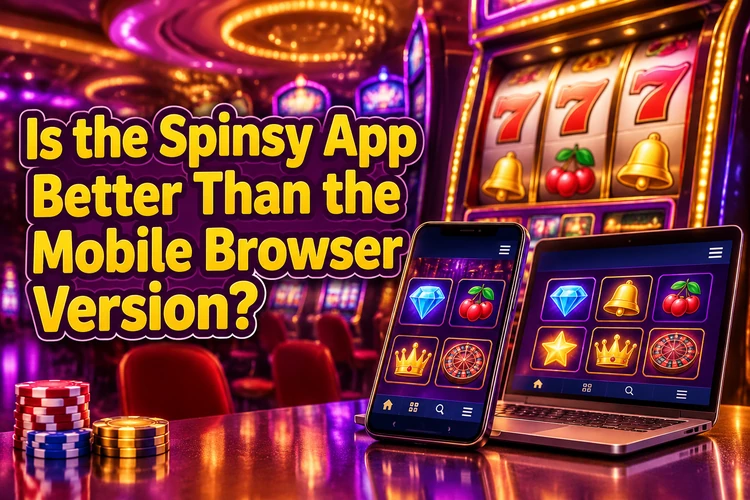
Choose the shortcut for regular play on a personal phone. Choose a browser tab for a one-off session, a shared device or a player who does not want to save an icon. Neither format provides offline account access, and neither changes the games, balance or payment tools.
The technical verdict is clear: the shortcut is more convenient for repeated access, while the browser is better when installation is unnecessary. Speed depends mainly on the connection, not on the icon or tab used to open the site.
How Safe Is It to Play on the Spinsy Casino App?
Security starts with using the correct website rather than an imitation installer. The Spinsy casino operates under Curaçao eGaming licence No. 8048/JAZ, issued by the Curaçao Gaming Control Board, and the operator is Rabidi N.V.
Data sent between the phone and the site uses an encrypted HTTPS connection, shown by the browser padlock. The Spinsy casino application created through Safari or Chrome adds no executable file, while an altered APK from a third-party page can capture login details or card numbers.
Before a first withdrawal, the account may require a government-issued photo ID, proof of address such as a recent utility bill or bank statement, and proof of the payment method. Standard document review takes 24 to 72 hours. Upload documents only within the account area and protect the phone with a PIN or biometric lock.
The safety verdict is to use the official browser shortcut and avoid downloaded installers. The shortcut has the same connection and account protections as the mobile website, without adding an unknown file to the device.
What Should You Check Before You Download the App?
A shortcut can fail when a phone is nearly full or the first page load starts on a weak signal. Prepare the device at home, use a normal browser window, and complete the first launch on a reliable Wi-Fi connection.
Keep the account details ready for the first session. If the account is not created yet, use the browser before adding the icon; the account access page opens the same service that the shortcut will use.
- Free enough storage for browser cache and temporary game data.
- Use an up-to-date version of Chrome on Android or Safari on iPhone.
- Connect to Wi-Fi for the first page load.
- Keep the account email and password available.
- Enter the website address yourself and avoid APK files or similar store listings.
- Keep identification and payment records available for a first withdrawal review.
Once the six checks are complete, the shortcut takes about a minute to add. It suits regular players who want one-tap access on a personal phone, while a browser tab remains practical for occasional sessions.
Players must be 18+. Set sensible deposit limits, take breaks, and use responsible play tools if gambling stops feeling controlled.
Open Spinsy on Mobile
Use the browser shortcut for regular play on your own phone, or open the site directly for a one-time session.
Spinsy App FAQ
There is no installer file. Open the Spinsy website in Chrome on Android or Safari on iPhone, then choose Add to Home Screen. The shortcut costs nothing and opens the mobile site from a new icon.
Yes. The Spinsy casino app works as a browser shortcut on Android and iPhone, with the same account, games and cashier available on both platforms. There is no native Google Play or App Store listing.
The shortcut costs nothing and does not require a file. Mobile data charges can apply when playing away from Wi-Fi, and real-money play requires funds in the account.
Yes. The shortcut opens real-money slots, live dealer tables, table games, game shows, crash games, instant-win games and the sportsbook. Players must be 18+.
No. The shortcut opens the existing account with the same balance and history used on desktop. A new player creates one account in the browser before adding the home-screen icon.
The shortcut adds no executable file, and the site uses an encrypted HTTPS connection. Avoid APK files from third-party pages, and protect the phone with a PIN or biometric lock.
It works on mobile data, but it needs an internet connection because games and account information load from the server. Wi-Fi generally provides a steadier connection for live dealer games. There is no offline account mode.
Very little. The phone saves an icon rather than game files, although the browser cache can grow as you play. Keeping some free storage helps pages and games load smoothly.
Open the Spinsy website in a normal Chrome or Safari tab, update the browser, free some storage and use Add to Home Screen again. Avoid in-app browsers and unknown installers. Live chat and [email protected] are available if the shortcut still fails.